
About This Article
This article explains how to file a business registration form (開業届) for anyone looking to go independent as a freelancer or sole proprietor.
The traditional method is to visit a tax office in person, but electronic filing via web or app is now available and far more convenient.
This guide walks through the process using MoneyForward’s “Cloud Kaigyou-todoke” service.
How to Register Using MoneyForward Cloud Kaigyou-todoke
Let’s walk through the registration steps. First, visit the MoneyForward Cloud Kaigyou-todoke website at the URL below:
https://biz.moneyforward.com/starting-business/
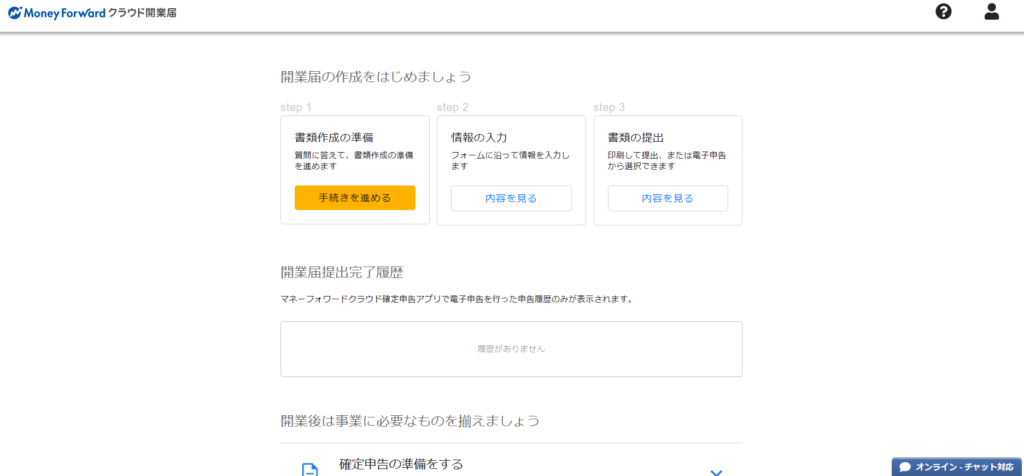
You should see a screen like the one below. Click “開業手続きをはじめる” (Start the registration process) in the center of the screen.

You’ll be prompted to create a MoneyForward ID. Enter the email address you want to use for your business, then follow the steps to confirm your email and set a password.
It’s generally a good idea to keep your personal and business email addresses separate. If you don’t have a dedicated business email address yet, a free email service like Gmail works fine — set one up in advance.
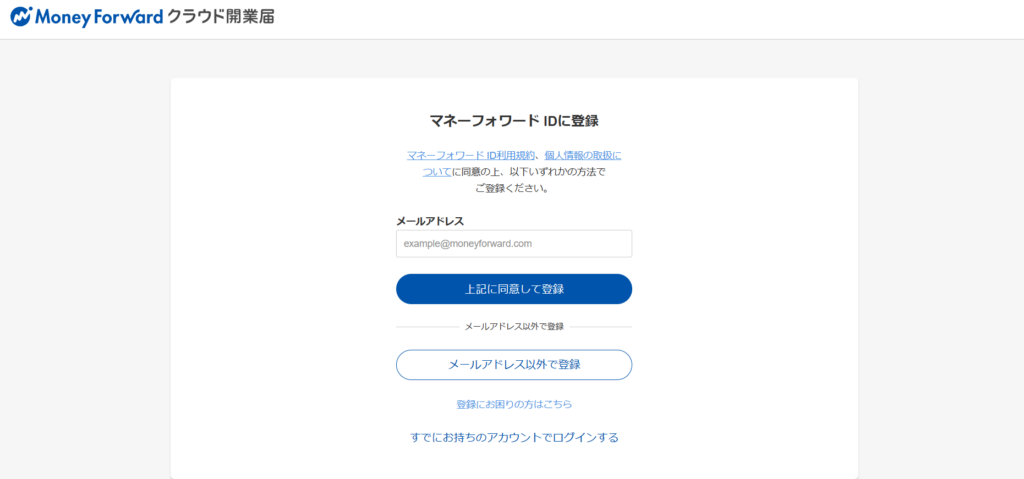
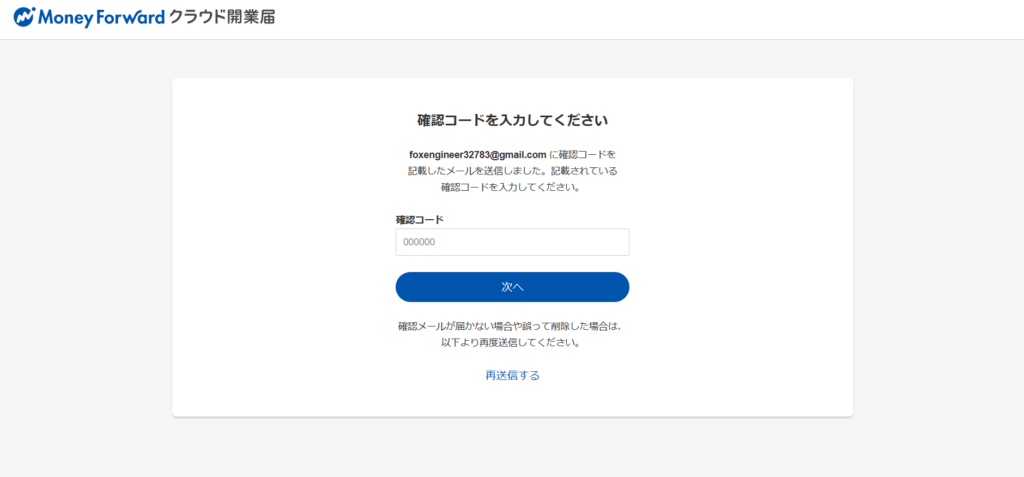
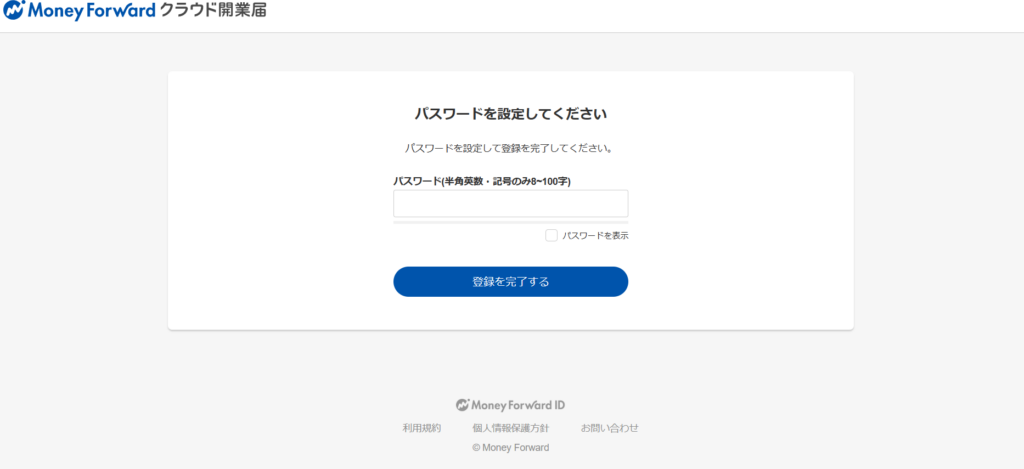
Once you’ve set your password, a confirmation screen will appear asking if you’d like to register for Cloud Kaigyou-todoke. Click “上記に同意して登録” (Agree to the above and register).
Whether or not you check the newsletter subscription box is up to you — uncheck it if you’d rather not receive emails.
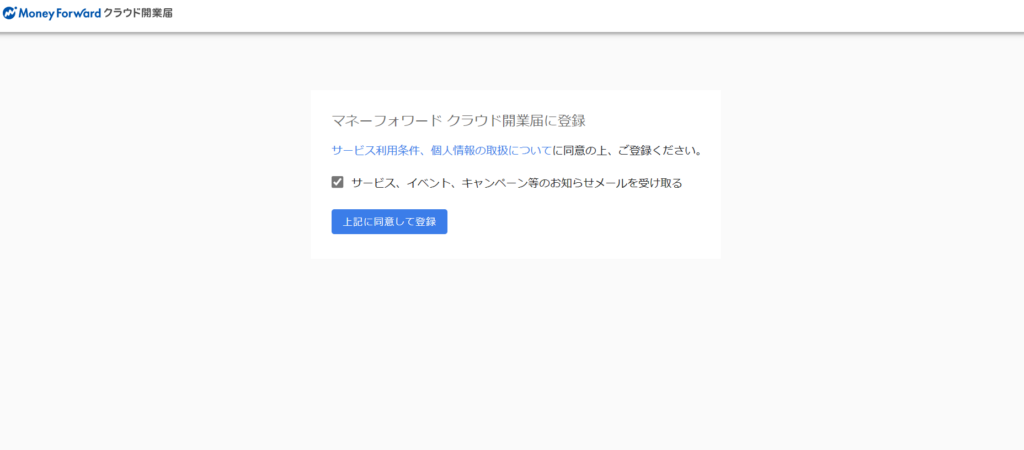
Your MoneyForward ID registration is now complete. If you already had a MoneyForward ID, you only need to start from this point.
The screen for creating your business registration documents will now appear. Click “手続きを進める” (Proceed) under “書類作成の準備” (Prepare documents).
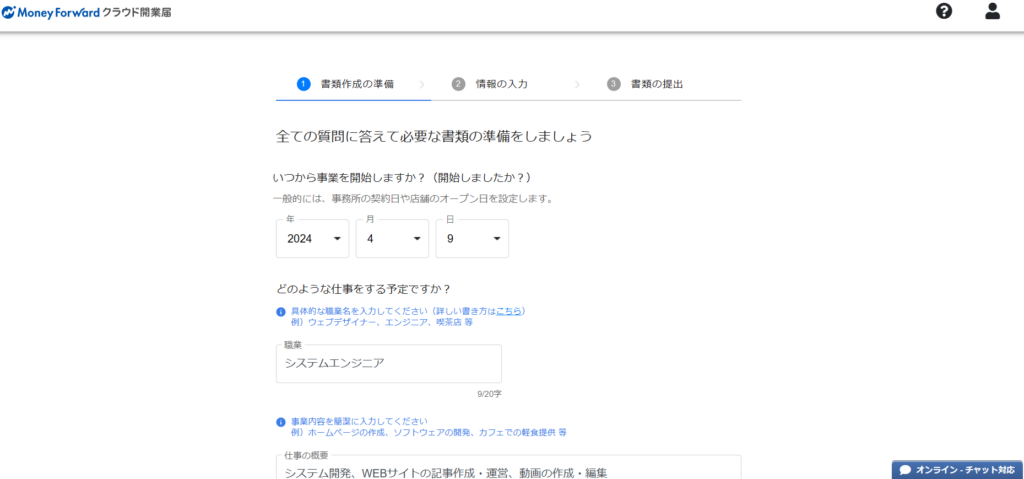
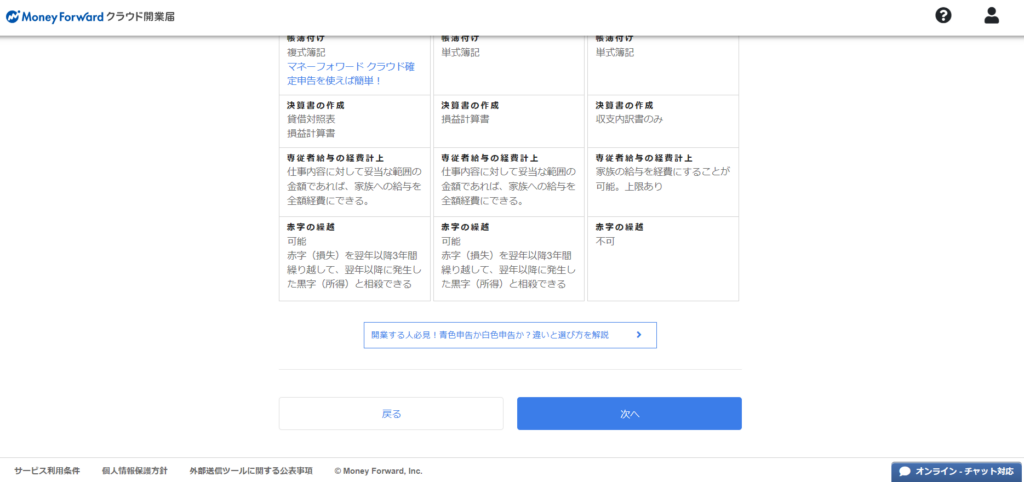
You’ll need to enter basic information for the registration form — including your planned business start date and the nature of your work. If you’re planning to work as a freelance IT engineer, the entries shown in the images below should work as a reference.
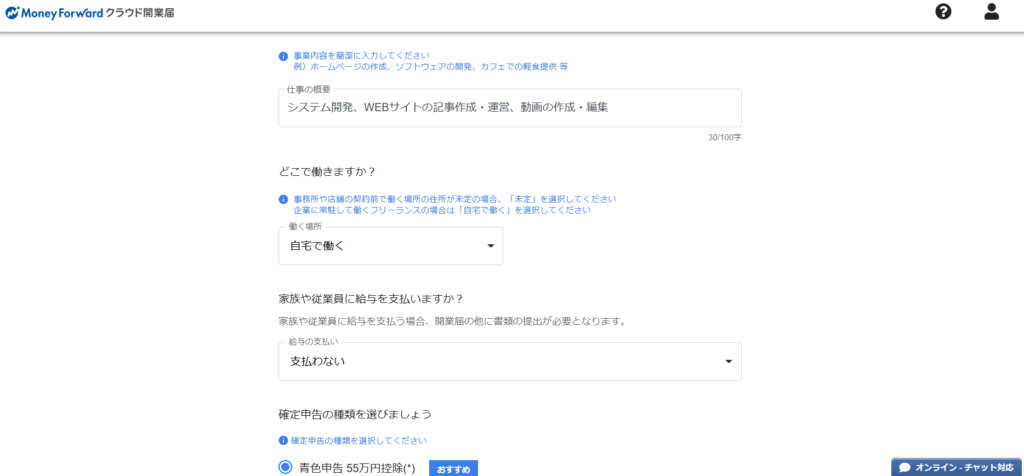
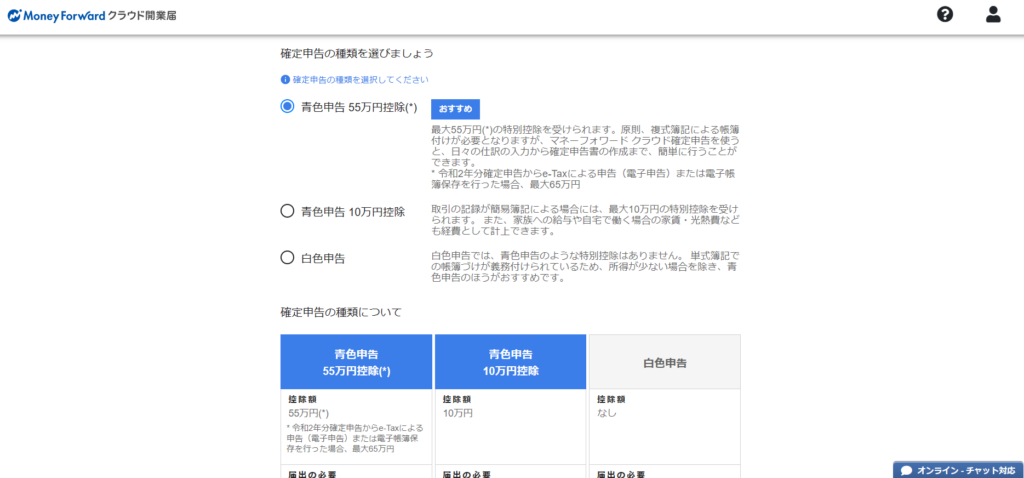
One field to pay close attention to: the blue tax return (青色申告) ¥550,000 deduction option. Be sure to select this. If you’re going freelance, you’ll be required to file a tax return each year — and choosing the blue tax return (青色申告) filing method allows you to claim a ¥550,000 deduction, which makes a substantial difference to your tax liability.
Filing a tax return once a year does take some effort, but it’s not an overwhelming burden. Always select the ¥550,000 blue tax return deduction. Once you’ve completed all selections, click “次へ” (Next) at the bottom of the screen.
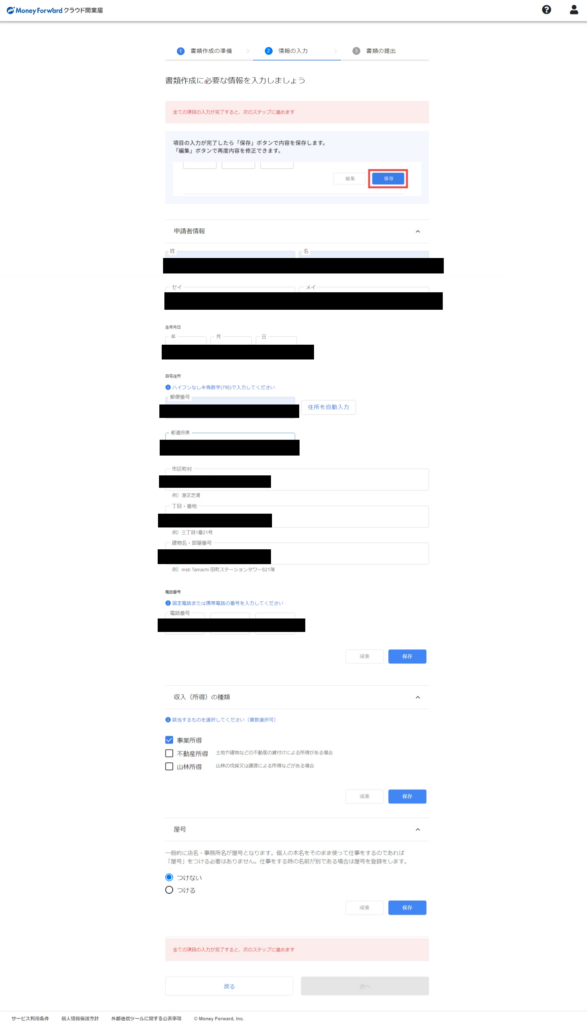
Next, you’ll need to enter your personal information. The fields in the screenshots below have been blacked out for privacy, but simply fill in your own details — it’s straightforward.
For income type: if you have real estate income or other sources, select accordingly — but for most freelancers, “business income” (事業所得) alone will apply. For the trade name (屋号): this is an optional business name. If you run a shop or brand, you might set this, but it’s not required for freelancers. Leave it blank if you don’t need one.
When you’ve filled everything in, click each “保存” (Save) button, then click “次へ” (Next) once all sections are saved.
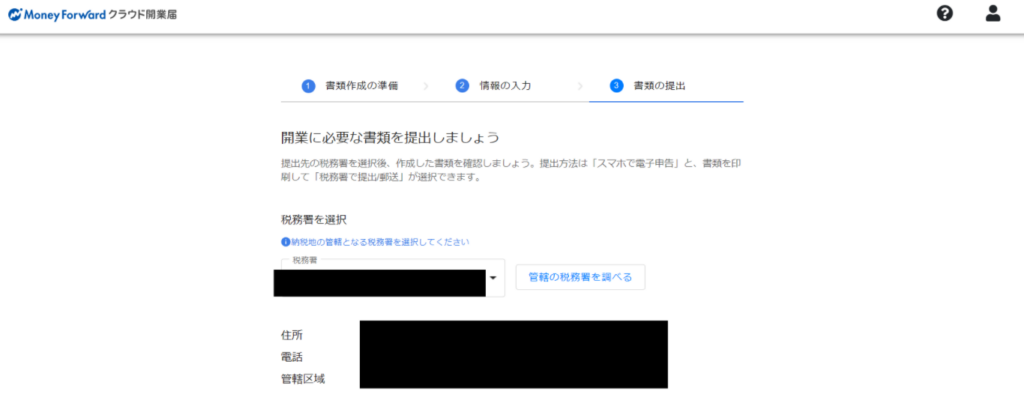
The final step is the document submission screen. Here you can choose to submit the form to a tax office in person, or via the smartphone app.
I initially tried the smartphone app, but the MoneyForward ID didn’t work properly in the app and I couldn’t log in. I ended up just submitting in person at the tax office — which worked fine. If the app works for you, feel free to use it.
To submit in person: click “書類をダウンロード” (Download documents) to save the form to your computer, print it out, and bring it to your local tax office.
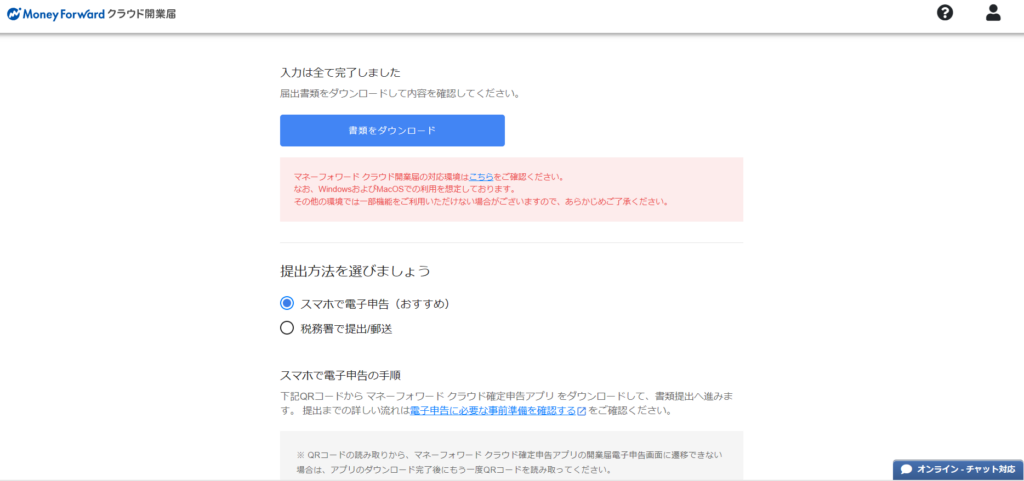
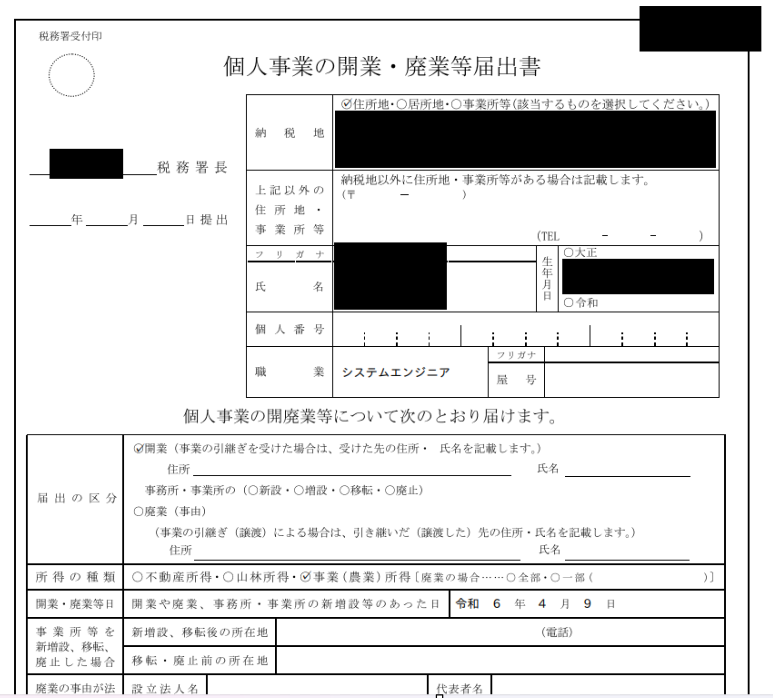
Once downloaded, the form will be pre-filled with everything you entered. Bring it to your tax office, and your business registration is complete — the whole thing takes just minutes.
Summary
This article covered how to file a business registration form using MoneyForward’s Cloud Kaigyou-todoke service. The app hiccup at the end was a minor inconvenience, but overall the process is simple — just follow the on-screen prompts and fill in your information.
If you’d rather not go to a tax office, alternatives like freee also offer web-based business registration. Either way, online filing makes the whole process much more accessible.
For information on claiming unemployment insurance before going freelance, see the article below:
Claiming Unemployment Insurance in Japan as a Freelancer

Also popular with readers