About This Article
ChatGPT lets you create your own custom GPTs and publish them to the GPT Store.
A separate article will cover how to create a GPT — but once you try to publish one, you’ll likely notice that your real name is displayed publicly.
This happens because of an unusual ChatGPT behavior: it uses the name from the credit card registered as your payment method. To work around this, you need to verify a domain you own.
There are other approaches besides domain verification, but each comes with its own issues.
Steps for Domain Verification in ChatGPT
Below are the steps to verify a domain through ChatGPT using your own AWS environment.
Note: if you see the following error message, it means the verification token you previously obtained has expired:
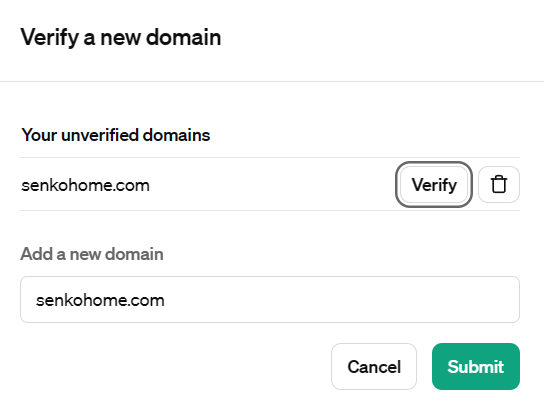
Your domain could not be verified: Domain ‘senkohome.com’ has an expired verification token. Please delete it and try again.
To resolve this error, go to the verification screen, click the trash icon next to “Verify” to delete the expired token, then click “Verify” again to generate a new token and set it as a TXT record.
Summary
This article covered domain verification for publishing GPTs on ChatGPT.
For related reading, see:

Also popular with readers