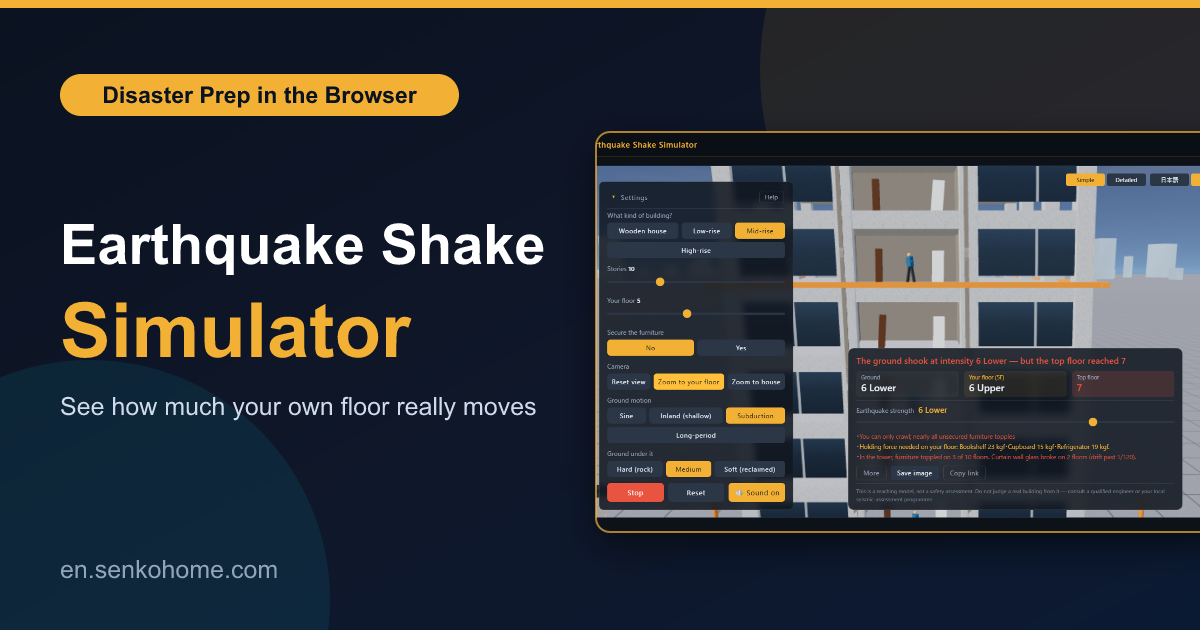
Thank you for visiting the site. This article is about the “Earthquake Shake Simulator”, a free browser app I built to answer one question: how much does the floor I actually live on move in an earthquake?
Living in Japan, I had always heard that tall buildings “sway slowly” and low ones “shake sharply”, but I had never seen the difference with my own eyes, and the numbers in disaster pamphlets never told me what would happen to the bookshelf next to my bed. So I built something that shakes the ground under a building and lets me stand on my own floor while it does.
What You Can Do With It
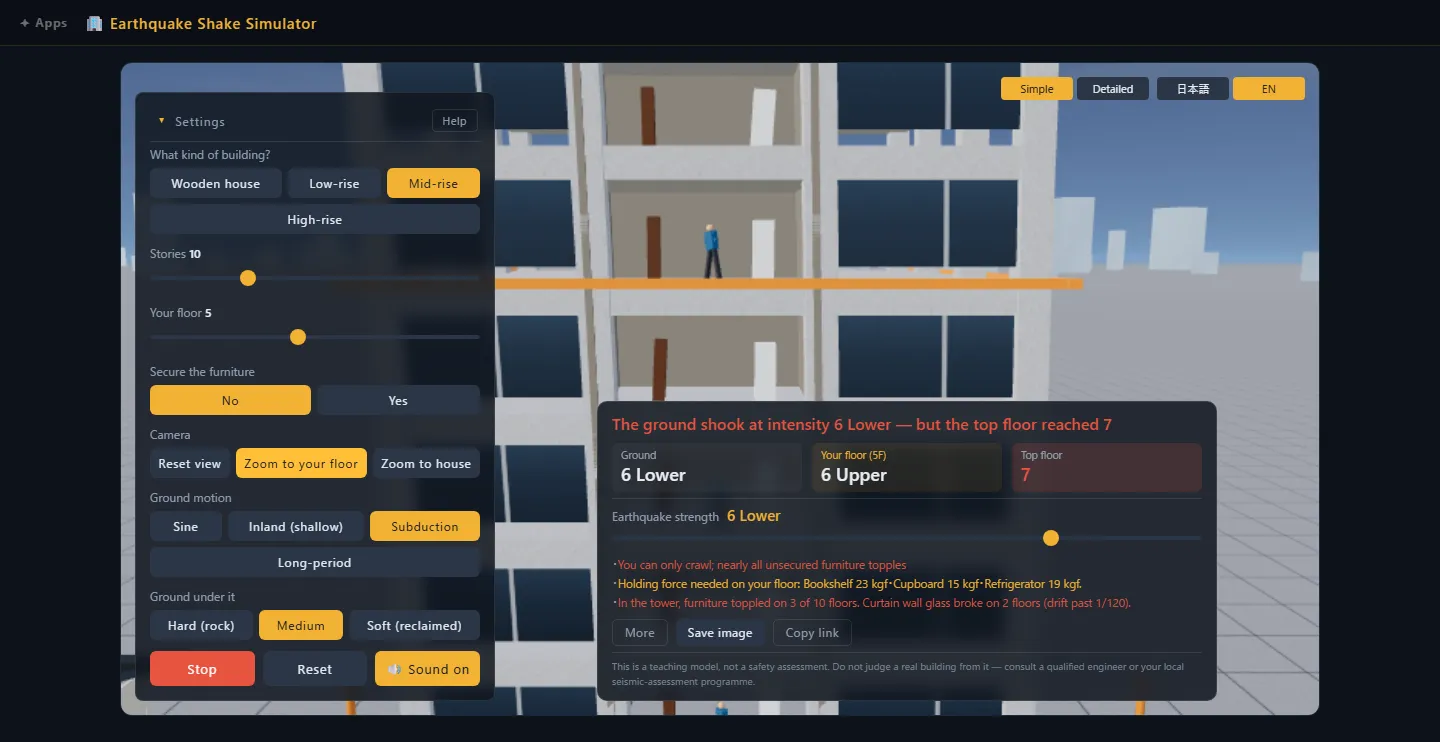
The flow is simple. You set how many floors the building has, anything from a low house to a high-rise, pick a seismic intensity from 1 to 7 on the Japanese scale, and press shake. A 3D building stands on a plaza and the ground starts moving. From there you can zoom in to any floor, walk into the room, and watch whether the furniture stays upright.
The things I find myself doing most are these.
- “Put two buildings side by side”. A 4-storey and a 20-storey block on the same ground, with the same earthquake, and only one of them is moving much. That one picture explains resonance better than any paragraph I have read
- “Sweep the period”. The ground wave’s period slides from fast to slow, and at a certain point the building’s swing suddenly jumps. That curve being drawn in front of you is the building’s natural period showing itself
- “Add base isolation or dampers”. Base isolation stretches the building’s period out to several seconds, which takes it out of the band where earthquakes push. Dampers do not change the period, they just flatten the peak. Seeing those two behave differently was worth building the whole thing for
- “Stand on your own floor”. The camera rides the floor, so the room stays on screen while everything in it shakes. The bookshelf, the fridge and the TV each have a tipping threshold, and the app tells you how many kgf of bracket it would take to hold them down
The ground motion can be a plain sine wave, or one of the generated earthquake types: a short sharp “inland” quake that is over in moments, a long “subduction” quake that keeps going, and a “long-period” one that barely moves a house but leaves a skyscraper swinging for minutes.
Why the Floor Matters More Than the Magnitude
The idea underneath all of this is resonance, and I think it is easiest to explain with a swing. Push a swing at random moments and it never gets very high. Push it exactly as it comes back to you, and even small pushes build up into a large arc.
A building is the same. Every building has a timing it “wants” to sway at. Low buildings want to move quickly in small steps, tall buildings want to move slowly in long arcs. When the ground happens to move at the building’s own timing, the swing gets amplified, and when it does not, the building mostly ignores it.
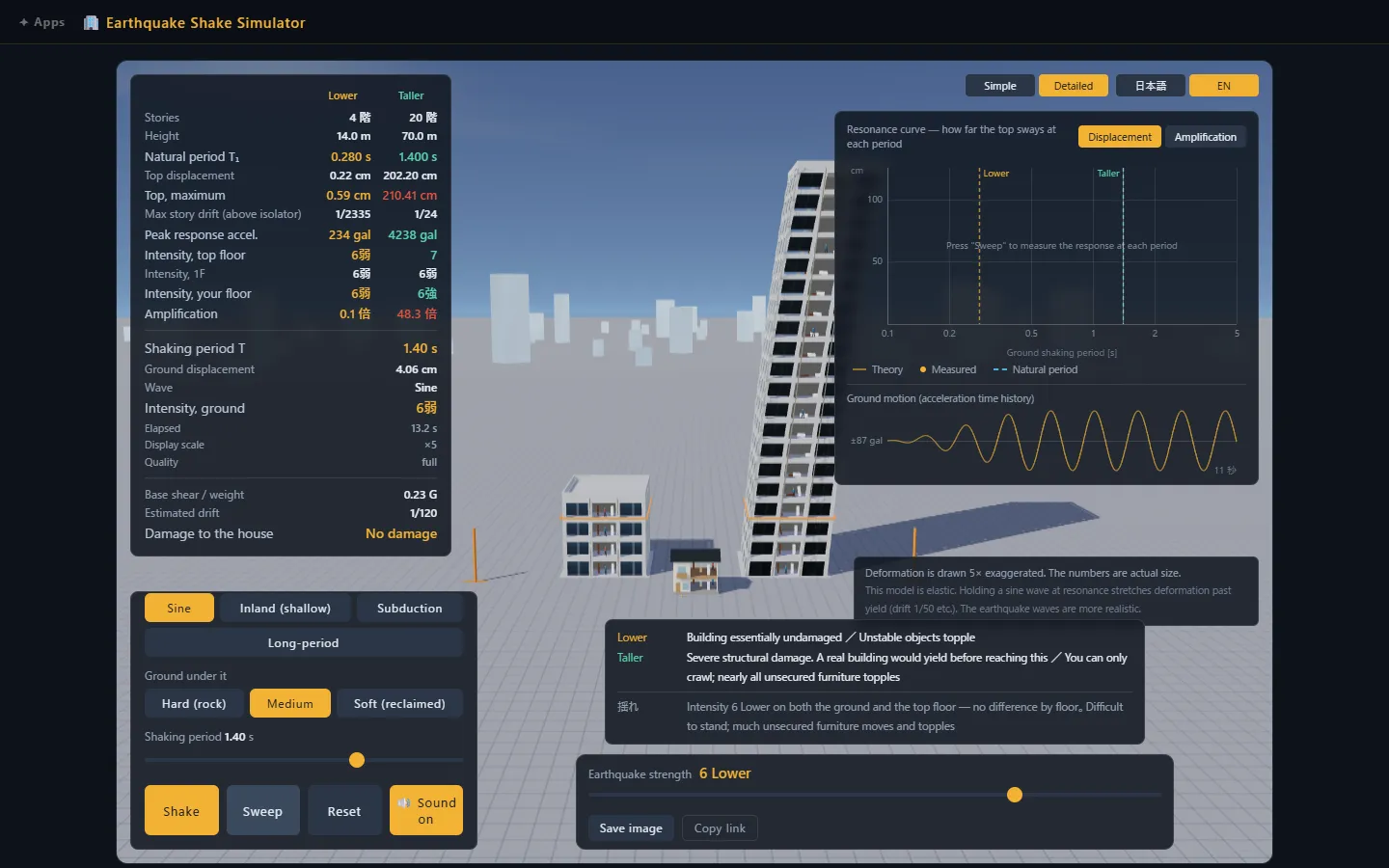
In the scene above, both buildings are standing on the same ground in the same quake, and the ground is moving at a period that happens to match the tall one. It is leaning far enough that the damage panel calls it severe. The low block beside it is out by a couple of millimetres and looks perfectly still.
The app also calculates the intensity on each floor, using the same definition the Japan Meteorological Agency uses for measured intensity, so you get results like “the ground is intensity 6-lower, but the top floor is intensity 7”. Being told that a building is “safe” tells you nothing about that, and it is the number I wanted to see.
Where the Numbers Come From
I should say clearly that this is a teaching tool, not an engineering report, but I did not want it to be a cartoon either. There are no magic numbers of the kind “intensity 7, therefore things break”. Every bit of damage you see is triggered only when a calculated value crosses a threshold.
- Floor height, floor weight and storey stiffness are derived from written constraints (a 3.5 m storey, a 12 kN/m² floor load, a stiffness shape where every storey deforms equally and a size from the Japanese building code’s period formula)
- Damping is 3% for reinforced concrete and 2% for steel, which are the values practitioners actually use
- The cladding cracks at a storey drift of 1/120 and the frame is damaged at 1/100, both of which are limits from the Japanese building code
- The physics is a shear-type multi-mass model integrated with Newmark-β at a fine time step
If you are interested, the “Where the numbers come from” section inside the app lists each source. I tried to make it so that someone who knows structural engineering can check me, and someone who does not can still just watch the building and get the idea.
A Few Ways to Play With It
The first thing I would try is to build a building with the number of floors you actually live on, pick the floor you sleep on, and run an intensity 6-upper quake. Then add the bookshelf and see whether it goes. After that, try the same quake on a wooden house, and then on a tower block with the long-period wave, and you will see why the two worry about completely different things.
Any scene can be saved as a single image or shared as a link with every setting baked in, so if you want to show a family member “this is what our floor does”, that is one click.
Summary
This article introduced the Earthquake Shake Simulator.
The point of it is not the 3D building, it is the moment you see a tall building and a short one on the same ground and only one of them moves. Once that clicks, “which floor am I on” and “what period does this building have” stop being abstract, and I think that makes the usual advice about securing furniture a lot easier to take seriously.
If you would like to see what other things I have built, the full list is here.
ArticleI hope you will read the next article as well.
Also popular with readers
📚 Series: Free Browser Apps I Built (1/11)