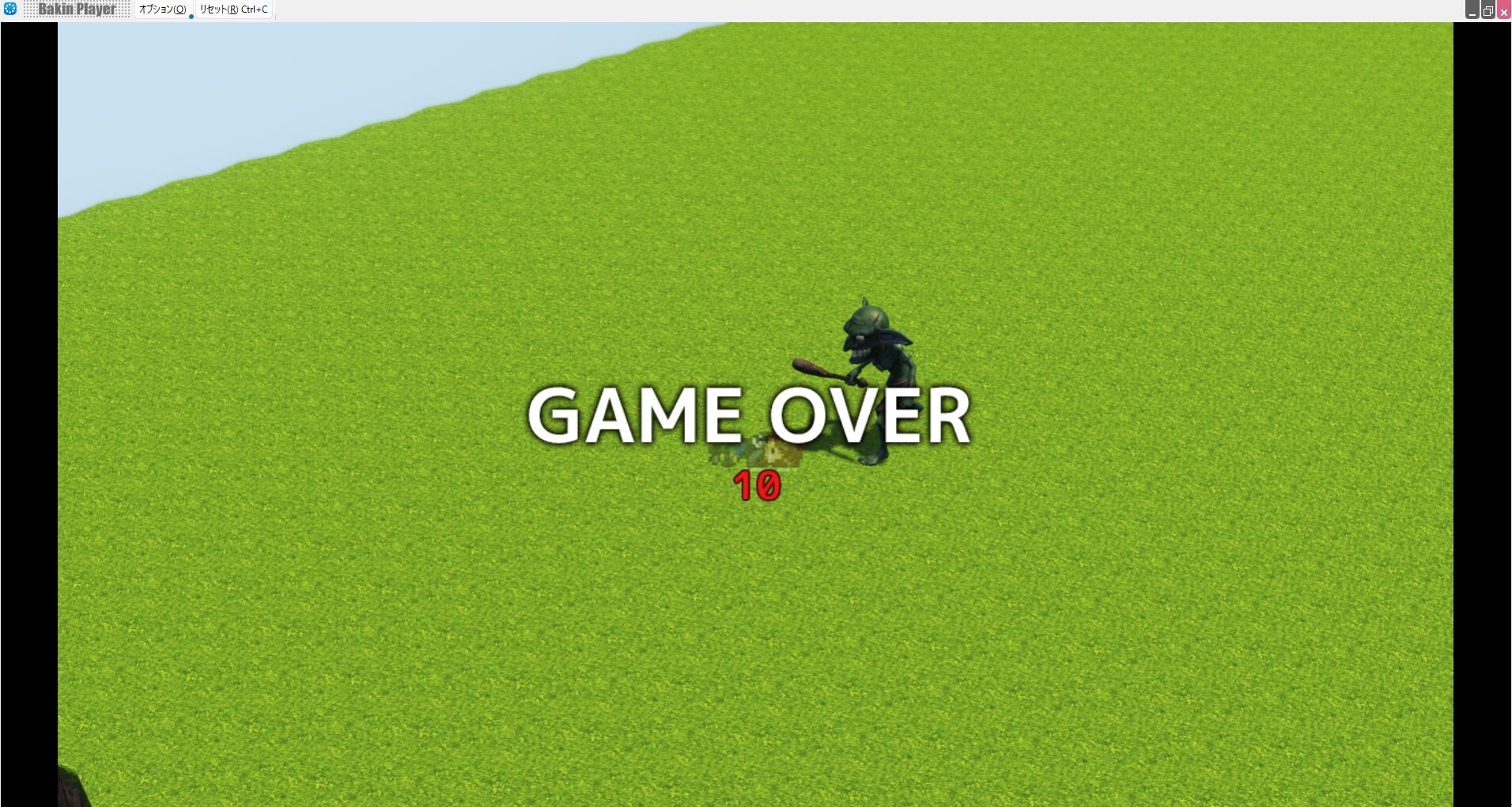
Where We Left Off
I’m developing a game independently, and the game I’ve built with Bakin is also published on Freem. I’d love for you to play it, but you can get a good idea of what the game is like from this video:
In the previous article (linked below) we implemented the enemy character (monster), including its attack motion.
In this article, I’ll implement damage processing for the player’s sword attack hitting the enemy, and for the player receiving damage from enemy attacks.
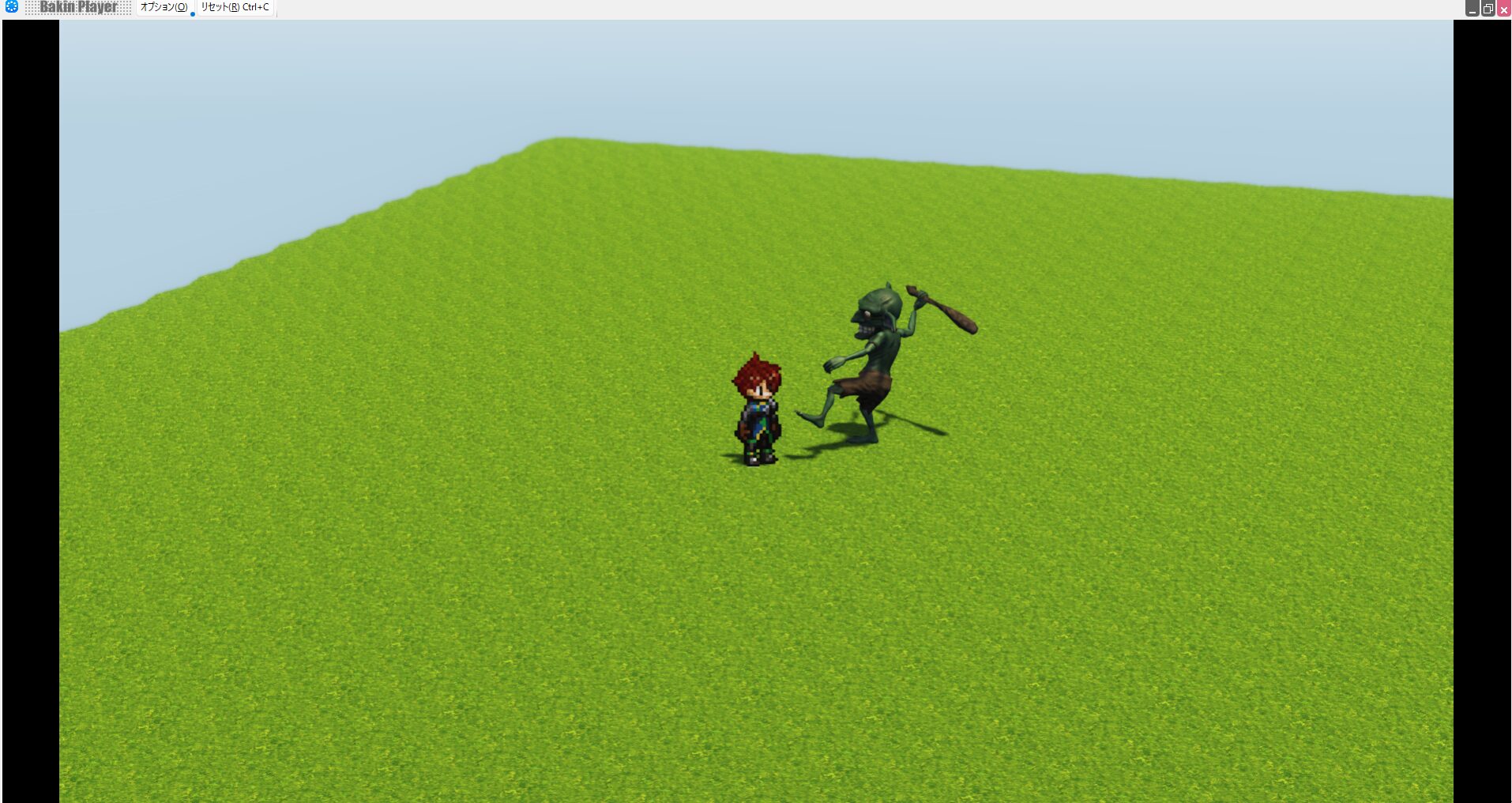
Implementing Damage Processing for the Player’s Attack in Bakin
Let’s add event processing to “Goblin A”—created in the previous article—so it responds when hit by the player’s attack.
Open the “Cast Event Settings” for “Goblin A” in “Database” → “Cast” to bring up the “Cast Event” screen.
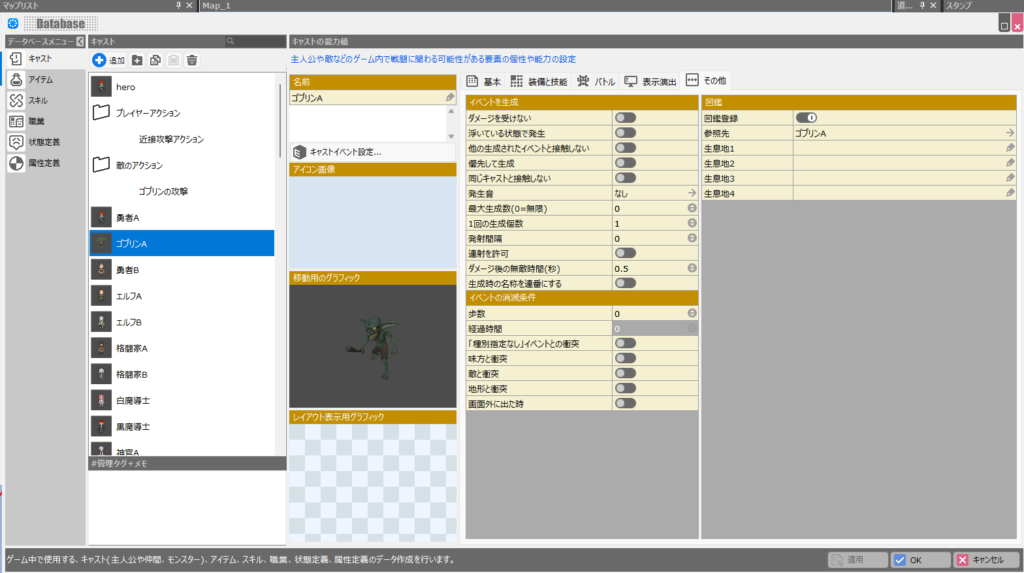
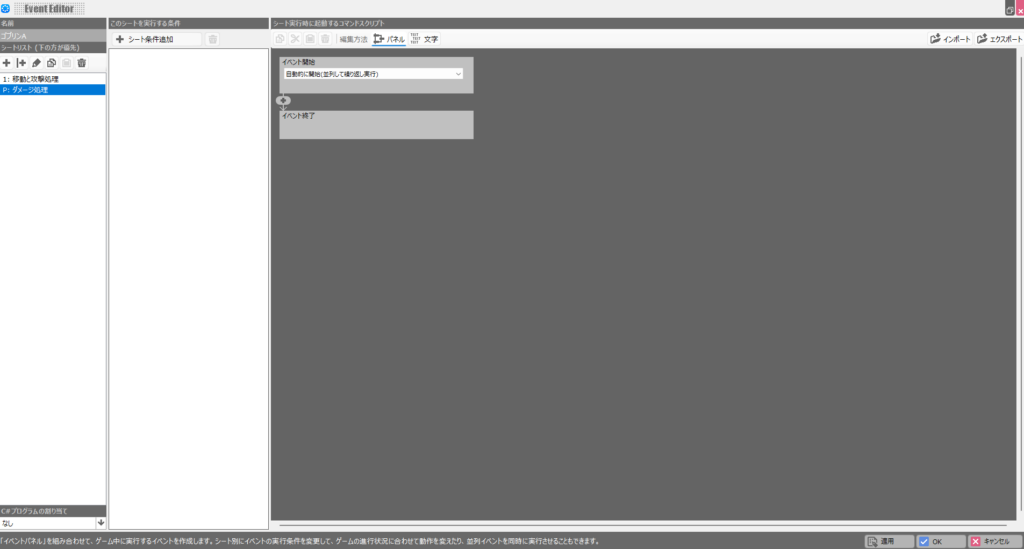
Once the “Cast Event” is open, click the second button from the left in the “Sheet List”—the ”|+” button—to create a new parallel event sheet.
Note: if you use the ”+” button instead, attack processing and damage processing cannot run in parallel, so be sure to use the ”|+” button.
Once created, a new sheet starting with “P:” will appear in the “Sheet List.” Name the two sheets “Movement & Attack Processing” and “Damage Processing” respectively.
The newly created “Damage Processing” sheet is configured as shown below. You could keep it simple—just reducing the event’s HP on contact with the player’s “Melee Attack Action” cast—and damage processing would still work.
However, that bare-bones approach has no atmosphere for an action game. You need to add sounds, effects, and a hit-stagger motion when the attack connects, just as shown in this sheet.
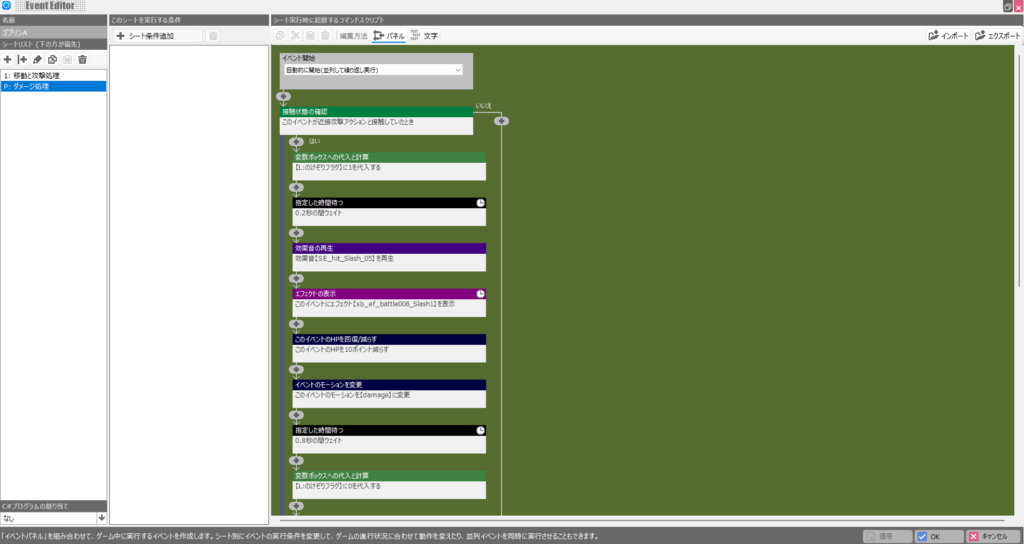

The basic flow of the damage processing is: first check whether the event made contact with the player’s attack hitbox (implemented two articles ago).
To check contact between the player’s attack hitbox and this event, set up a condition that detects when “this event” and the “Melee Attack Action” cast are in contact, with “Ignore events in the process of disappearing” checked.
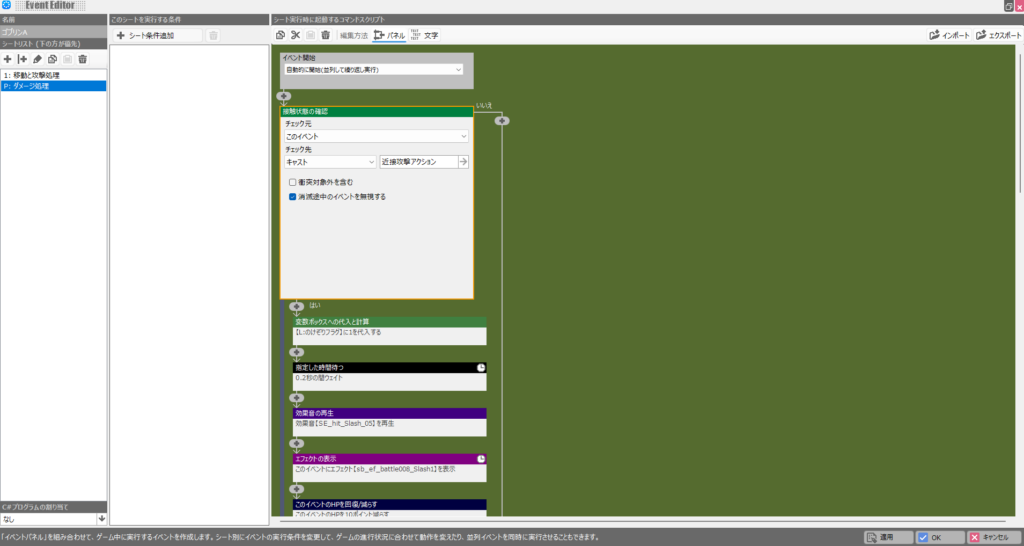
When contact with the player’s attack is detected, the first thing to do is set “Stagger Flag” to 1 (a switch would work just as well). “Stagger Flag” is a local variable I created myself.
In Bakin you can create your own variables like this for various reusable purposes (add them in the local tab of the variable settings).
“Stagger Flag” is set to 1 when the enemy character enters a staggered state after being hit, and reset to 0 when the stagger ends.
This flag is used in the other sheet, so for now just remember: create the flag, set it to 1 when hit, and reset it to 0 at the end of the hit-processing sequence.
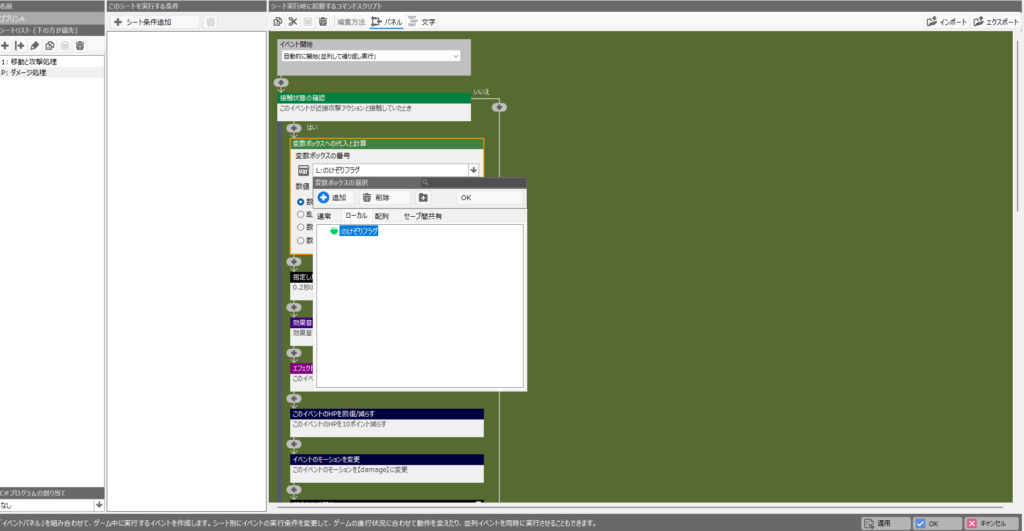
The other elements—waiting for a set time, sounds, and effects—are added to give the game atmosphere, just as in previous actions.
In the latter part of the flow the event’s HP is reduced by 10 points—that’s the actual damage the enemy character takes.
Here I’m using a fixed 10-point reduction, but you could use variables to reduce by the player’s attack power, or calculate the reduction after factoring in the enemy’s defense.
Next, the “Movement & Attack Processing” event sheet content was updated from the previous article as shown below.
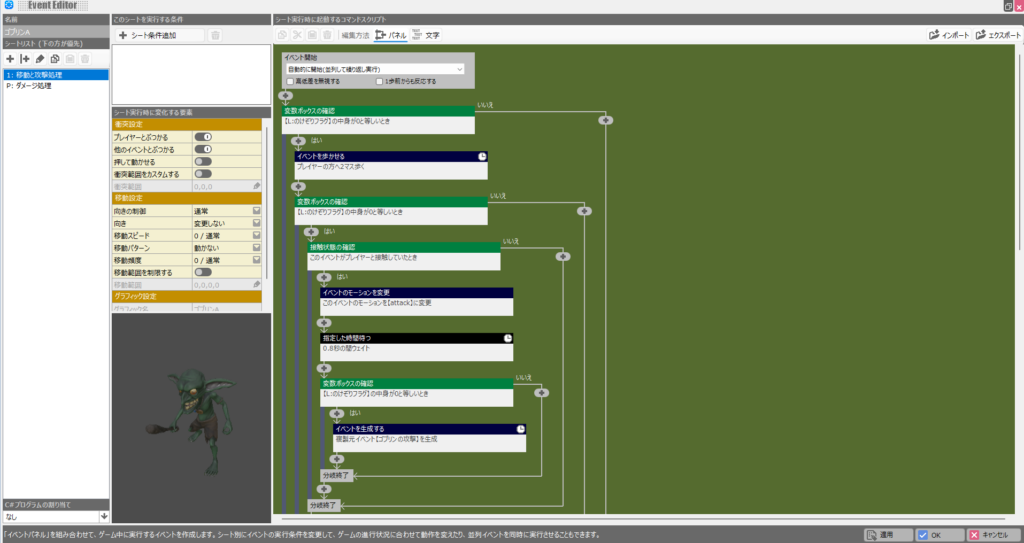
In short, I added a check of the “Stagger Flag” value at key points in the flow, so each part of the processing only proceeds when the flag is 0—meaning the enemy is not in a staggered state.
Without this check, you’ll find that the player attacks, the goblin is in a stagger, and yet the goblin suddenly attacks back—which is clearly wrong.
This happens because the two event sheets—“Movement & Attack Processing” and “Damage Processing”—run in parallel, so even while damage is being processed on one sheet, the movement and attack logic keeps running in the background.
To prevent this, give both sheets a shared variable. While one sheet is running its logic, set the flag; clear it when done. That’s the fix.
There are other implementation approaches, but I believe this is the simplest solution.
Some people (especially those from a programming background) might think that checking “Stagger Flag” once at the top of “Movement & Attack Processing” is enough to eliminate further checks. However, because the event sheets run in parallel, a single check at the top cannot handle cases where damage is received after movement has started, or where damage is received mid-attack motion.
For example, if you only check at the top, you’ll see the strange behavior of the attack motion being interrupted by damage, yet the enemy suddenly attacking anyway.
Intentionally building that “hyper armor” spec into tough enemies is fine, but if every generic enemy has it too, players won’t enjoy the game.
With all this “Cast Script” logic in place, you can now replicate the classic action-game behavior where Goblin A takes damage from the player’s attack and staggers.
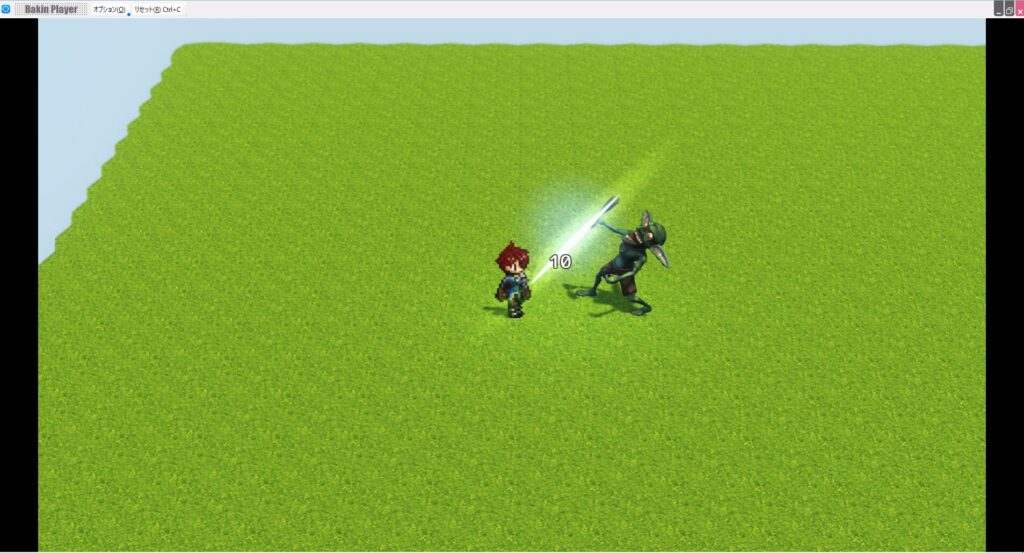
Implementing Damage Processing for Enemy Attacks in Bakin
Next, let’s implement damage processing for when the player takes a hit from an enemy attack.
You might think you could add the same logic to the player’s “hero” cast event, just as you did for “Goblin A.” But for some reason the player cast event doesn’t work properly.
This is likely because Bakin treats “Player” differently from regular “Events” internally, and setting cast events on the player cast doesn’t behave well.
For that reason, player damage processing is set up in a “Common Event.”
From Bakin’s master menu, click “Common Event,” create a folder called “Player Damage Detection” under “Common Events,” and inside it create an event called “Goblin Attack.” Here is what I created:
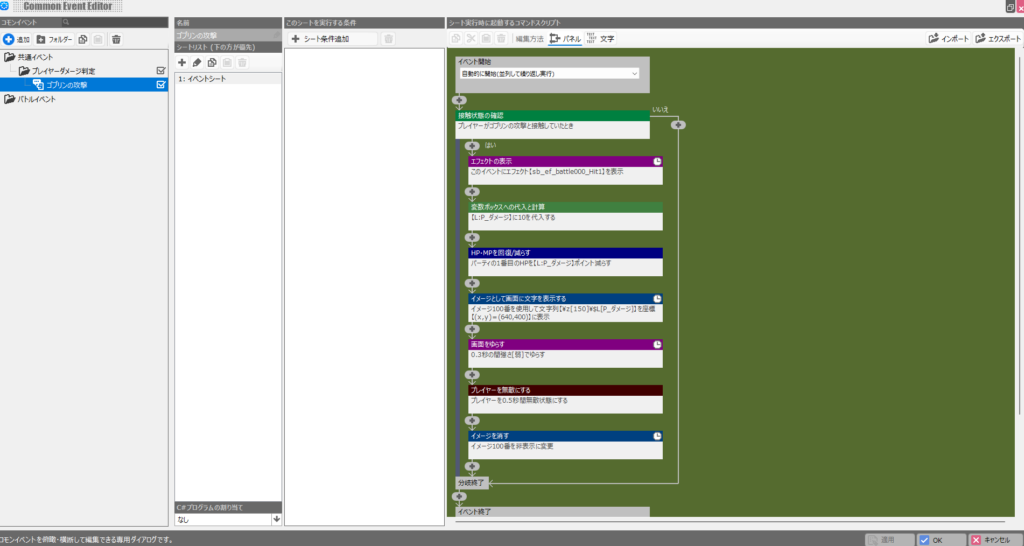
The flow is essentially the same as when Goblin A receives the player’s attack—damage is determined by whether the “Goblin Attack” cast makes contact with the player.
One small difference is a local variable called “P Damage” with a fixed value of 10.
The target whose HP is reduced is specified as “Party Member 1,” which takes advantage of the fact that the default player is always the first party member.
Since most action games are single-player, this should work without issues.
Unlike events, there’s apparently no built-in feature to display on-screen how much HP the player lost, so you have to display the received damage as text on-screen yourself (otherwise the player has no idea how much damage they took).
To do this, I use a script that “displays text on-screen as an image” with the “P Damage” local variable, assigning it image management number 100.
Rather than adding a damage stagger motion to the player like the enemy, which would disrupt player control whenever an enemy hits, I instead shake the screen and grant invincibility frames. Finally, the damage text image is removed. When clearing the image, you specify the management number, so I specify image number 100 (the one assigned earlier). With player-side damage processing done, go ahead and test-play.
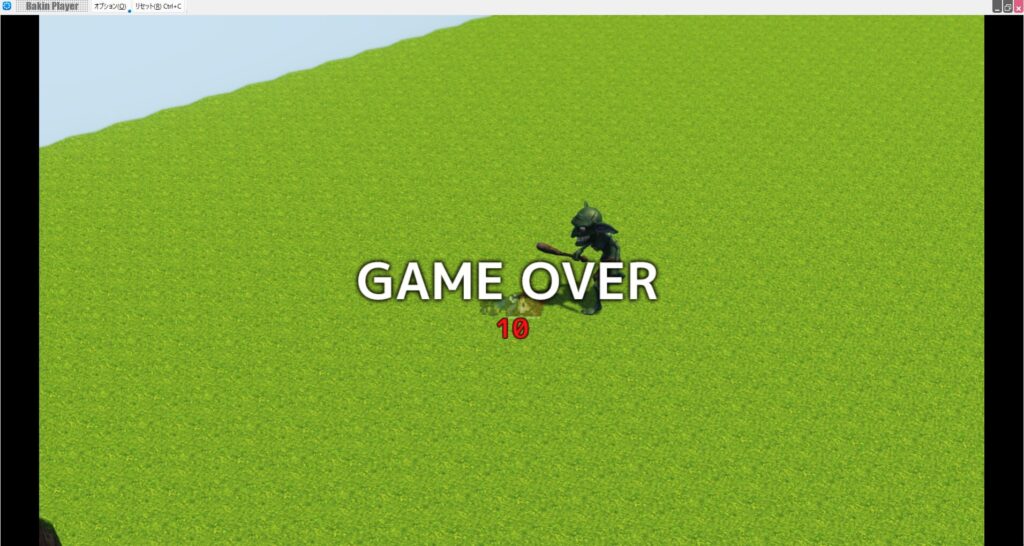
You’ll likely notice that the goblin’s attack sometimes hits and sometimes doesn’t.
The cause is that “Goblin Attack” moves too fast: it gets pushed backward by inertia when it hits the player, and then disappears because the cast’s disappear condition was triggered by colliding with the player—all before the damage detection logic runs.
This is a tricky problem. One way to mitigate it is to prevent “Goblin Attack” from disappearing on collision with an ally cast.
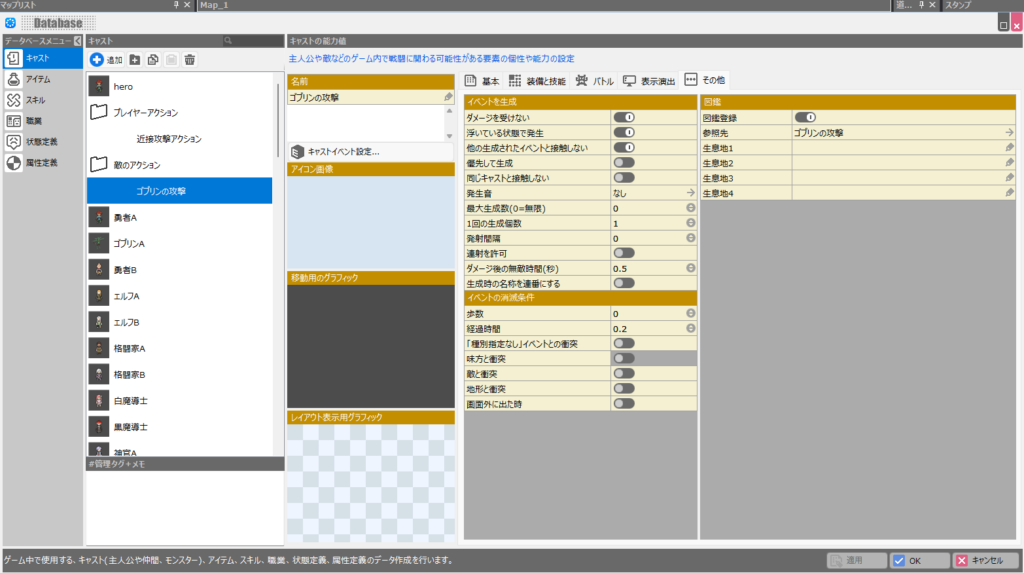
Another issue is that the default ground inertia is clearly too strong. You can reduce it by lowering the “Ground Damping” value in the “Game Definition” inertia settings from the default 0.8.
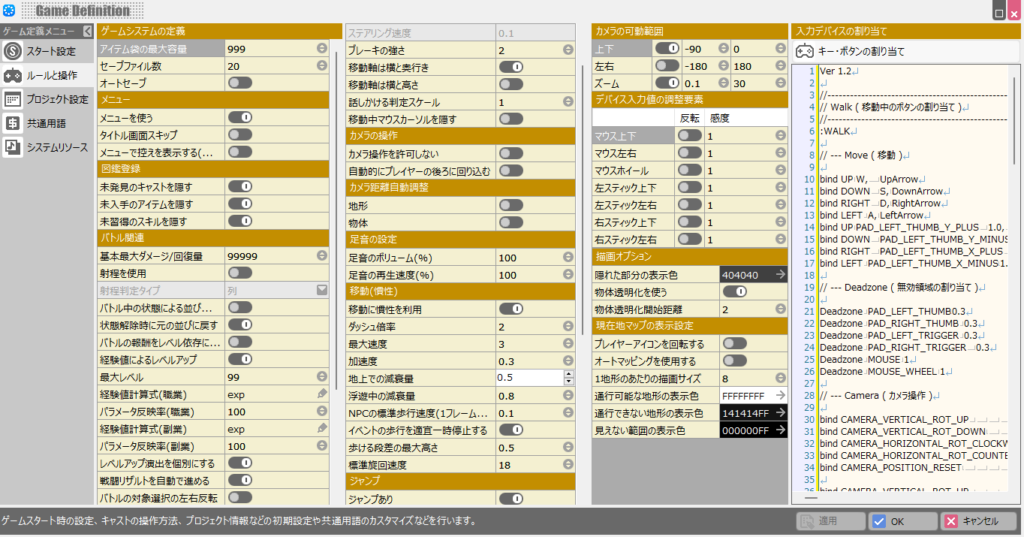
Adjusting these two settings should make damage register reliably in most cases.
You’ll also likely encounter the issue where the player’s attack motion gets canceled the instant it hits an enemy. The cause is the same: the cast disappears the moment it hits the enemy, so the rest of the cast event doesn’t execute.
Try fixing this yourself—it’s a great challenge. The fix involves either adjusting the disappear condition, or splitting the current cast into two separate ones: one for the motion and one for the hitbox.
There’s also the issue of the enemy suddenly vanishing when it takes the final blow, without any death animation. It’s not technically a bug, but it feels jarring to players.
Going forward, issues like these (latent bugs) will come up frequently in game development. The approach is to investigate each one, form a hypothesis, apply a fix, and verify the result.
Whether you can take that kind of systematic approach is the clearest indicator of whether someone has an aptitude for game development and programming. If you’re serious about making games, I encourage you to embrace these challenges.
Summary
In this article I explained how to implement damage processing for both the player and enemy characters in Bakin. Combined with the previous articles, placing multiple goblins on a map should now give you a game that functions at a minimum level as an action game.
Of course, a game in this state would attract almost no players, so you’ll need to add more actions, game settings, and a variety of enemies. I’ll continue covering those additions in future articles—check back if you’re interested.
Also popular with readers
📚 Series: RPG Maker Bakin: Game Development Guide (6/17)