Where We Left Off
I’m developing a game independently, and the game I’ve built with Bakin is also published on Freem. I’d love for you to play it, but you can get a good idea of what the game is like from this video:
In the previous article (linked below) we added damage processing for both the player and enemy characters when each takes a hit. In this article, I’ll explain how to implement ranged attacks such as a bow and arrow.
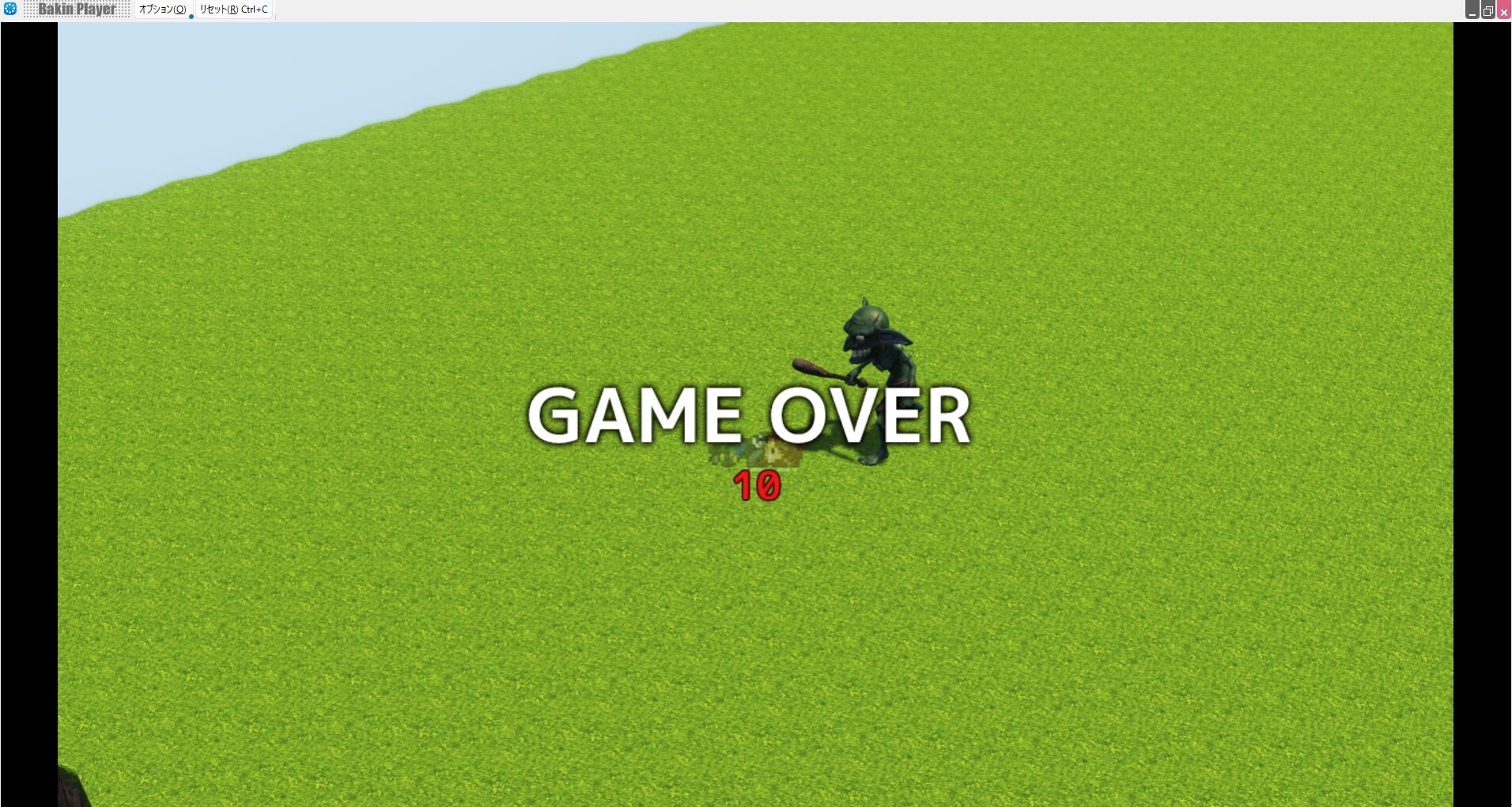
Implementing a Ranged Attack (Bow) in Bakin
In action games, melee attacks like sword swings and ranged attacks like bows or magic are both staples.
To give each type its own identity, melee attacks are often more powerful, while ranged attacks consume arrows or MP—that kind of balance is typical.
Either way, ranged attacks are almost always necessary in an action game, so let’s implement a bow-based ranged attack.
First, prepare two casts: “Ranged Attack Action” and “Arrow Hitbox” (feel free to rename them as you like).
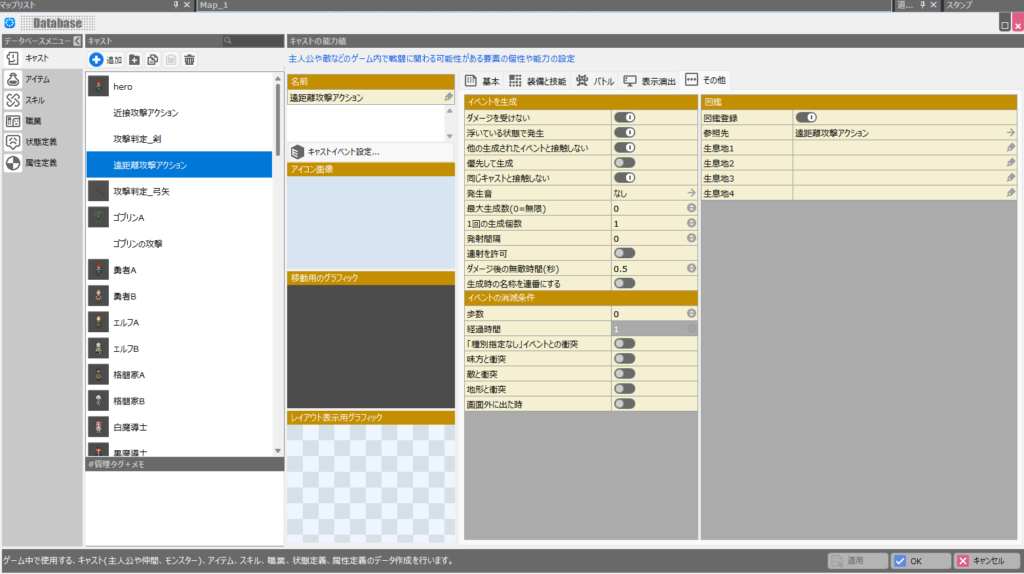
For the “Ranged Attack Action” cast, copy and paste the “Melee Attack Action” cast implemented in the previous articles to reuse it. Set up the cast event content as shown in the image below.
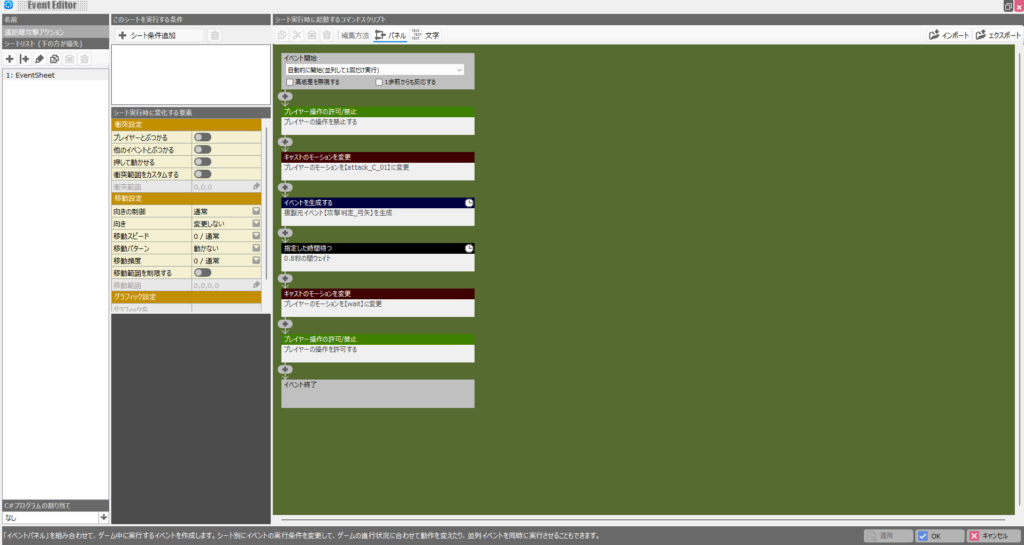
The player’s motion uses the default “attack_C_01” bow-firing motion. After that motion plays, a “generate event” script spawns the “Arrow Hitbox” cast—the actual attack hitbox that flies toward enemies.
The “Generate Event” script is extremely important for future game development, so I recommend taking the time to understand it through this exercise. After the arrow launches, the player regains control after a slightly longer pause than the melee attack.
That covers the cast event, but in the cast’s “Other” settings, it’s a good idea to set a somewhat long disappear time under “Elapsed Time.” Without it, the cast may disappear before the cast event finishes executing, causing bugs like the player getting stuck with their controls locked.
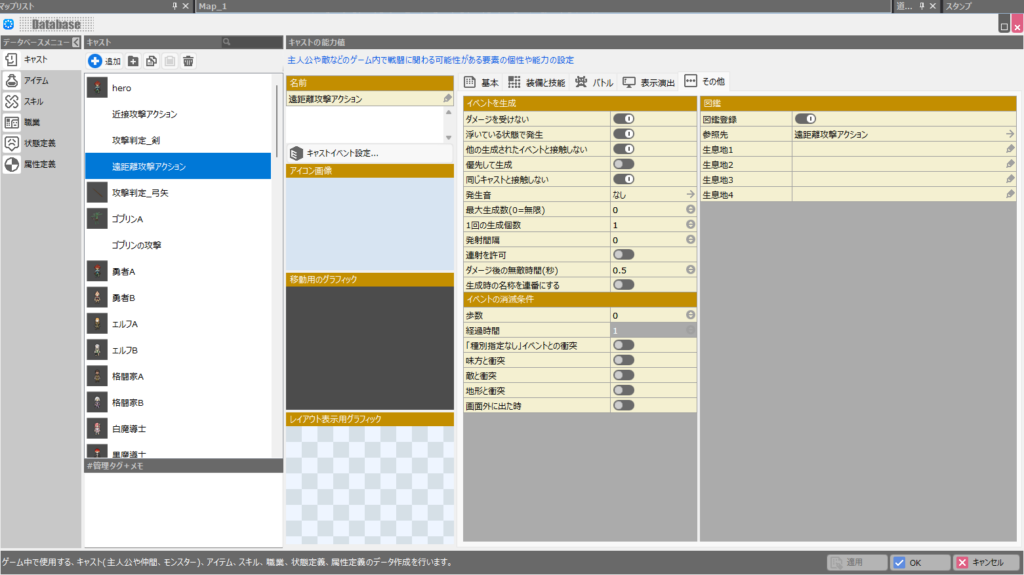
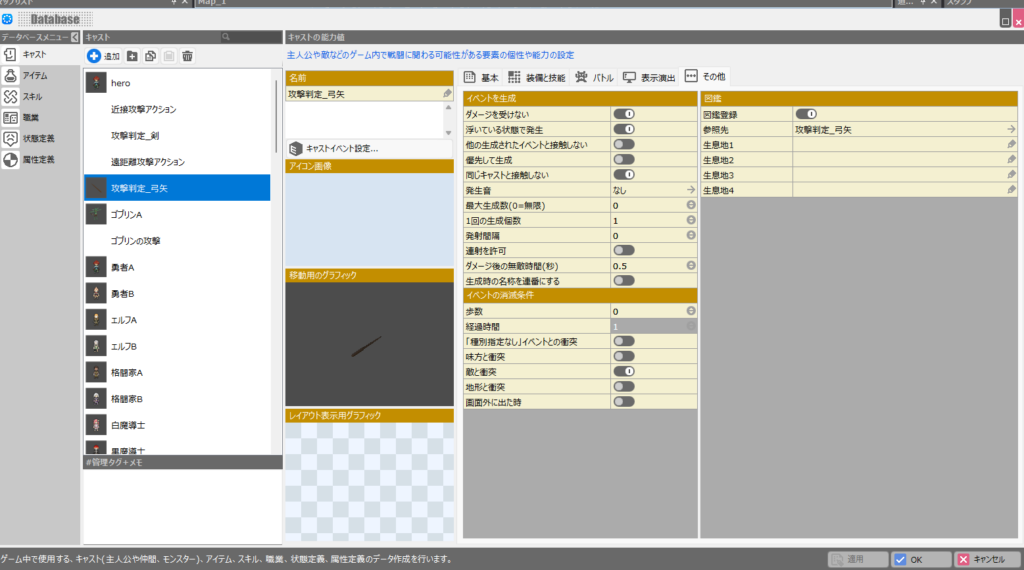
Next, the “Arrow Hitbox” cast—this is the arrow that actually flies from the bow toward the enemy.
Unlike the earlier hitboxes, set the “Elapsed Time” disappear condition in “Other” to around 1 second (a longer value). Without it, the arrow will vanish mid-flight, which causes obvious problems.
The cast event for this one is very simple: it consists of just three scripts—play a sound effect, set the arrow to fly slightly above the ground, and move the event.
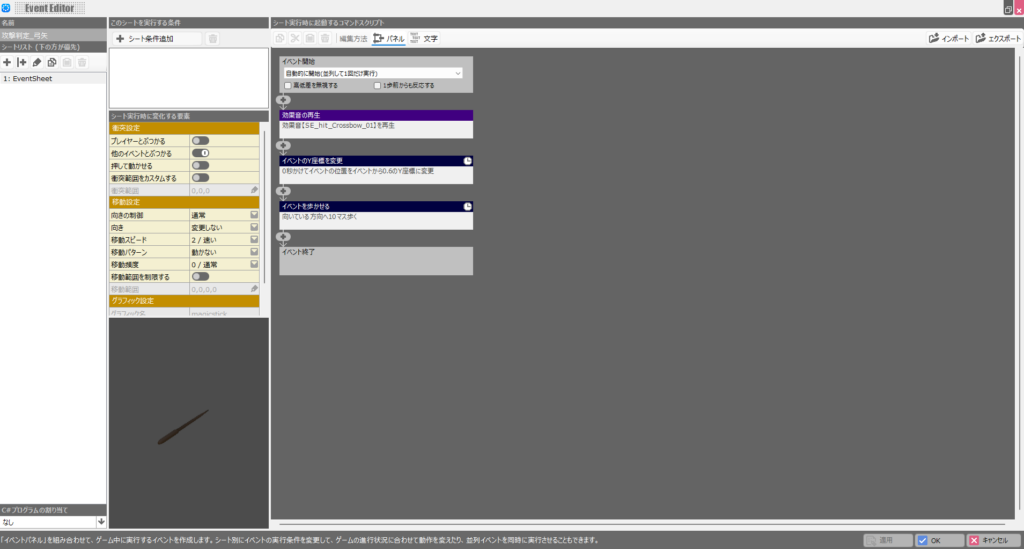
You can use any sound effect you like. The “Change Event Y Coordinate” script fixes the Y coordinate (height) once set, so the arrow stays at that height from that point on.
This implementation means the arrow only flies horizontally—to hit airborne enemies, the player must also jump.
Ideally the character would aim diagonally toward an enemy above and fire, but that implementation gets complicated, so this approach will have to do for now.
The final “walk 10 tiles” script determines the arrow’s range. You can increase it to “20 tiles” or more if you want a longer range, but remember to adjust the “Elapsed Time” disappear condition accordingly, or the arrow may vanish before reaching its full range.
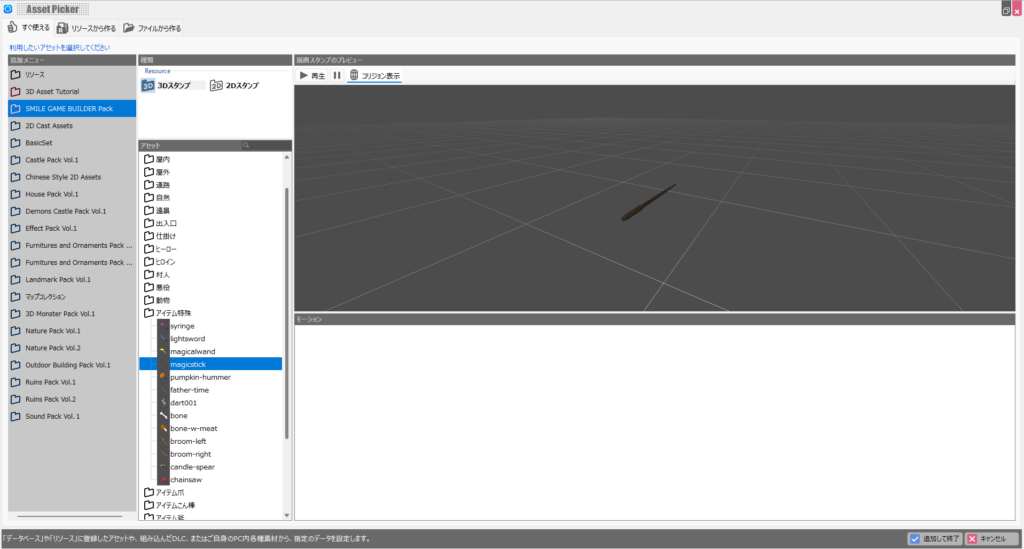
Finally, set the movement graphic for the arrow. Without it, only an invisible hitbox flies toward the enemy—which doesn’t make for much of a game.
Unfortunately, Bakin doesn’t include a ready-to-use arrow graphic by default, which is something of a headache (honestly, something this basic should be included from the start).
For now, I used “magicstick” from the “SMILE GAME BUILDER Pack,” which Bakin recommends purchasing alongside the base game.
Honestly, anything that looks somewhat like an arrow can work here, even if it isn’t intended for that purpose.
If you don’t have the “SMILE GAME BUILDER Pack,” you’ll need to find a free arrow-like image and register it as a resource—a bit of work, but manageable.
Finally, add damage processing on the enemy side for when it’s hit by an arrow.
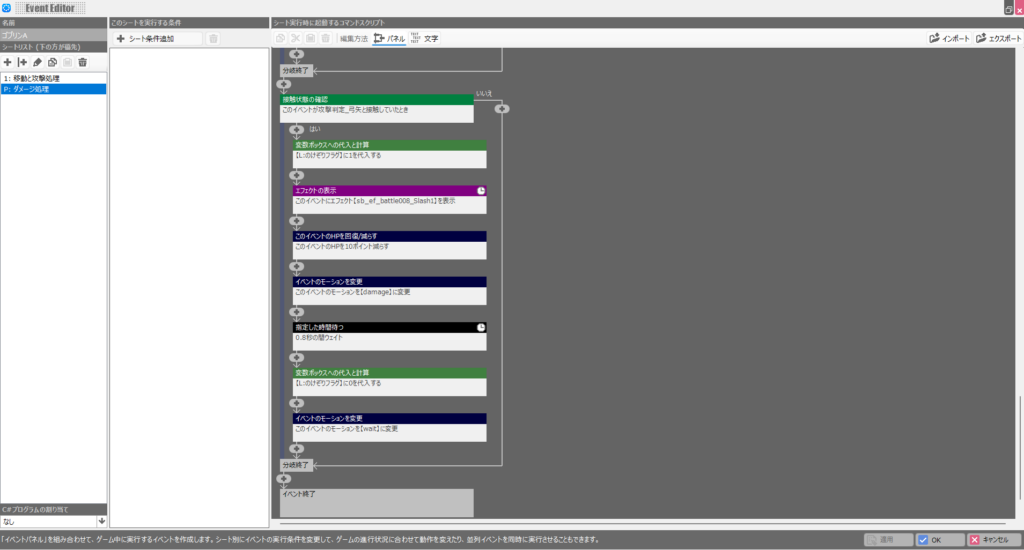
In the “Damage Processing” sheet of “Goblin A“‘s cast event, simply reuse the melee-attack damage logic and change the initial “Check Contact” condition to “Arrow Hitbox.” That’s all there is to it.
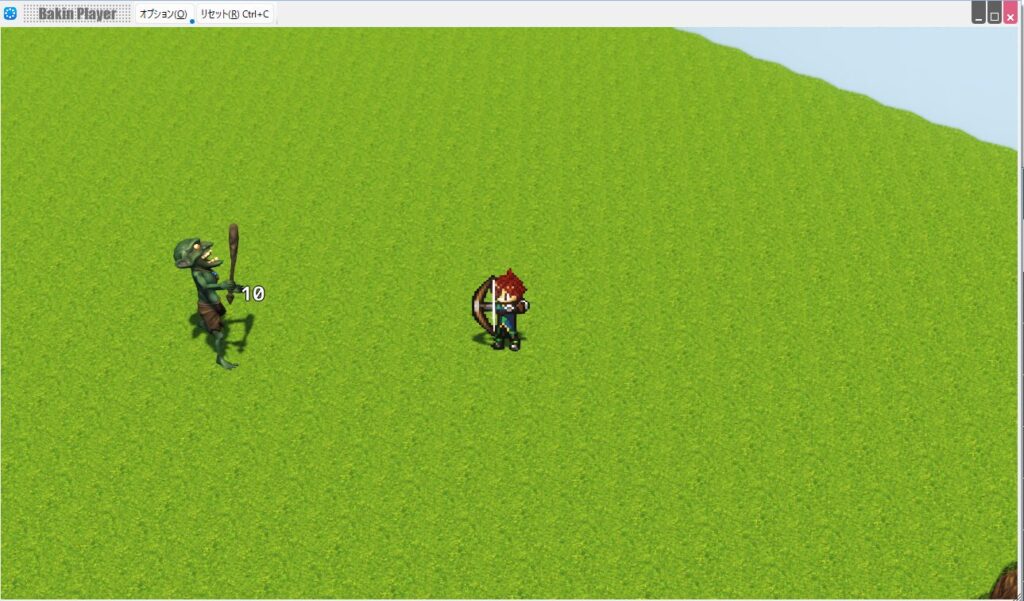
Once everything is in place, run “Test Play” and confirm the behavior matches your expectations. If everything is implemented correctly, the player should be able to fire an arrow that deals damage to the goblin when it hits.
Summary
In this article I explained how to implement ranged attacks in Bakin. Combined with the previous articles, you should now have a game that incorporates both melee and ranged attacks.
I’ll continue covering how to build more features in Bakin going forward—check back if you’re interested.
Also popular with readers
📚 Series: RPG Maker Bakin: Game Development Guide (7/17)